

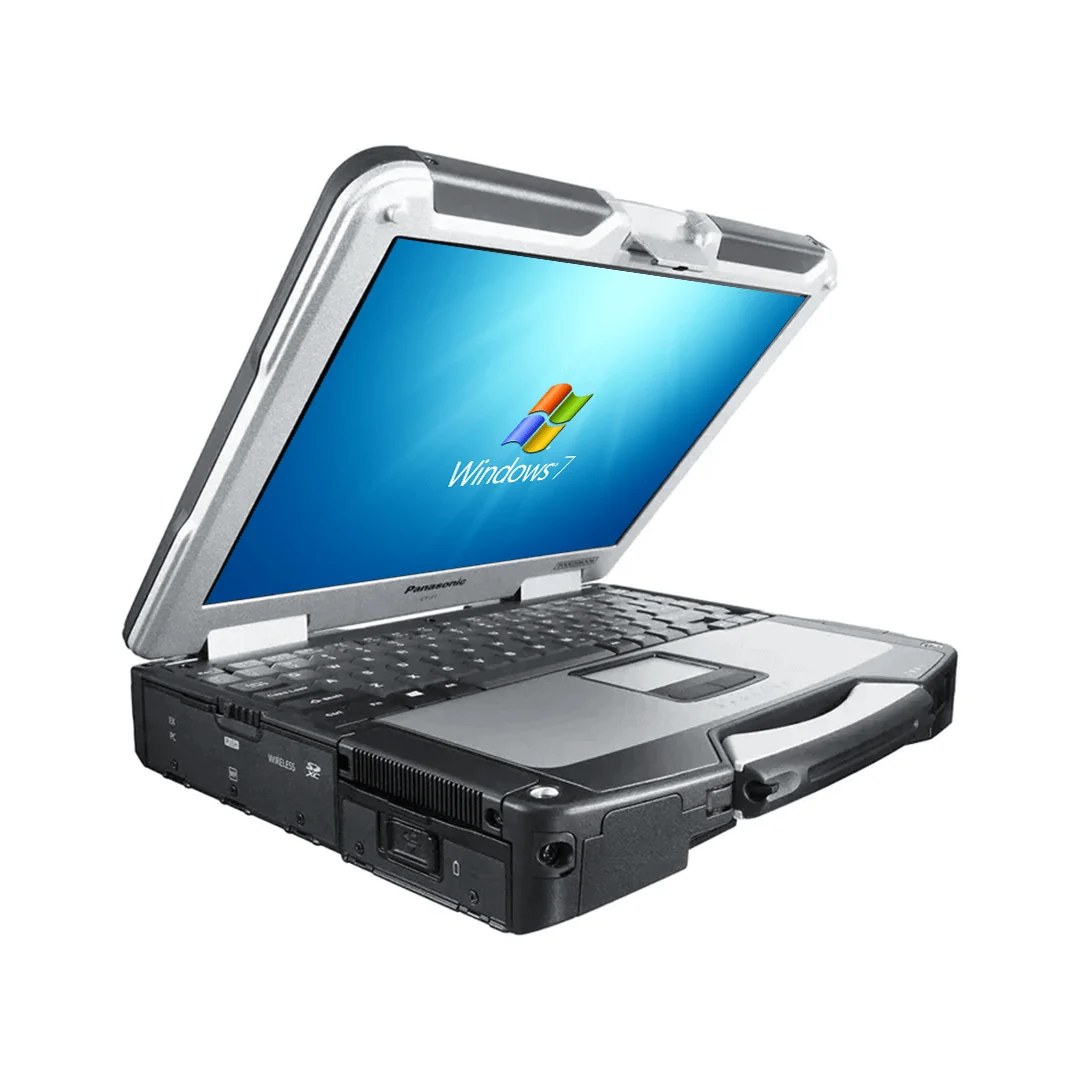
Newer hardware is not always the only sensible choice for field operations. Some organizations rely on established diagnostic software, serial-connected equipment, vehicle docks, or workflows built around older computers. For these users, a carefully configured panasonic toughbook cf 31 laptop can remain a practical option. Its fully rugged construction, outdoor-readable display, physical connections, and familiar Windows-based format suit jobs where durability and compatibility may matter more than having the latest processor.
What Made the CF-31 a Fully Rugged Computer?
The CF-31 was built for harsher conditions than a standard consumer or business notebook. Panasonic used a magnesium-alloy exterior, flexible internal connections, and vibration protection for the storage hardware used in its original configurations. Official operating instructions also note testing based on MIL-STD-810 procedures for shock and vibration, along with ingress-protection procedures for dust and water.
These design choices support work in service vehicles, workshops, utility settings, public safety operations, and industrial locations. The built-in carrying handle also makes the computer easier to move while wearing work clothing or carrying other equipment.
Rugged does not mean damage-proof. Seals, port covers, hinges, keyboards, batteries, and storage devices wear over time. The condition of a refurbished unit is therefore as important as the durability claims attached to the original model.
Why Can Older Hardware Still Be Useful?
Many field applications do not require high-end graphics or the fastest current processor. A technician may need to read service manuals, enter inspection results, run diagnostic software, access maps, or communicate with a central office. If the required program was developed for an older version of Windows or depends on a legacy connector, replacing the entire computing setup may be expensive.
The CF-31 was offered across several generations, with different processors, storage options, memory limits, ports, and wireless features. This range gives buyers choices, but it also makes the complete model number important. Two laptops carrying the CF-31 name may have noticeably different capabilities.
The display is another reason the model remains relevant. Field users frequently work in direct or reflected sunlight, where ordinary screens become difficult to read. Available touchscreen configurations can support data entry where a mouse would be inconvenient. Buyers should confirm the display type, touchscreen operation, stylus support, and screen condition for the individual unit.
Which Teams Could Still Benefit?
A refurbished CF-31 may fit organizations that use established applications and need a durable computer at a controlled purchase cost. Suitable uses can include:
- Vehicle diagnostics and equipment programming
- Warehouse and industrial maintenance
- Utility inspection and field reporting
- Fleet, transportation, and dispatch operations
- Training labs using legacy software
- Backup computers for existing deployments
The model may be less suitable for teams that require current graphics performance, lightweight hardware, modern biometric security, or official support for the newest operating systems. Organizations handling regulated or sensitive data must also confirm that the chosen operating system, security software, and wireless hardware meet present policies.
What Should Buyers Inspect?
Start with the full part number and installed specifications. Check the processor generation, memory, storage capacity, operating system license, touchscreen, keyboard type, wireless card, ports, and included accessories. Never assume that a feature shown on one CF-31 is present on every configuration.
Battery health requires special attention because runtime declines with age and use. Ask whether the battery has been tested, what runtime range is expected, and whether replacement batteries are available. If the computer will remain mounted in a vehicle, confirm the condition and output of its power adapter.
Inspect the screen for pressure marks, dead pixels, scratches, and uneven lighting. Test the keyboard, touchpad, touchscreen, speakers, USB ports, serial connection, Ethernet port, and charging socket. Port doors should close properly, since damaged covers can reduce protection from dirt and moisture.
Storage deserves review as well. Replacing an older mechanical drive with a compatible solid-state drive can improve startup time and reduce the number of moving parts. Buyers should verify compatibility and arrange secure data erasure before deploying previously used hardware.
Consider the Complete Deployment Cost
The purchase price is only one part of the decision. Add the cost of batteries, storage upgrades, memory, docks, vehicle power, software licenses, repairs, and technician setup time. Compare that total with the cost and migration work required for a newer rugged model.
A well-selected CF-31 can continue serving a defined role when its software, connections, and physical condition match the assignment. It should be purchased as a job-specific tool, not merely because it carries a rugged label.
To compare CF-31 configurations, refurbished options, accessories, and related field computers, visit Tough Rugged Laptops. Review the available systems or contact the company to find hardware suited to your applications, working conditions, and budget.